
Template:F/doc: Difference between revisions
More actions
m format |
Fix language-code links to use Wikipedia interwiki prefixes |
||
| (174 intermediate revisions by 17 users not shown) | |||
| Line 1: | Line 1: | ||
{{Heavily used template|Template talk:F|edit=✔|3=+}} | |||
{{Lua|Module:File|Module:Dsize|Module:Galeria}} | |||
{{Non-native-en}}<!-- …and complicated design --> | |||
{{Mbox | |||
|text = {{LangSwitch | |||
|en=This template is '''highly complicated'''. Its documentation is deficient (incorrect and poorly written) and its implementation is complicated. <!-- As a bonus, its dead author is known for his cryptic templates (cf Commons:Created by… templates). Chealer 2024-10-26 --> | |||
|de=Diese Vorlage ist '''hochkompliziert'''. Die Dokumentation ist mangelhaft (falsch und schlecht geschrieben) und die Umsetzung ist kompliziert. | |||
}} | |||
|type = serious | |||
}} | |||
{{TemplateBox | {{TemplateBox | ||
|1=1 | | 1 = 1 | ||
|1d= | | 1label = File Name | ||
|2=2 | | 1label-de = Dateiname | ||
|2d= | | 1d-en = [[#File Name|Name of the file]], with or without namespace; [[#Asterisk|or <code>*</code>]] on the file description page/talk page.<br />Underscores contained in the filename are replaced by spaces. | ||
|3=3 | | 1d-de = [[#File Name|Name der Datei]], mit oder ohne Namespace; [[#Asterisk|or <code>*</code>]] auf der Dateibeschreibungsseite/ Diskussionsseite.<br />Im Dateinamen enthaltene Unterstriche werden durch Leerzeichen ersetzt. | ||
|3d= | | 1d-td-en = Name of the file, with or without namespace; or “*” on the file description page/talk page. Underscores contained in the filename are replaced by spaces. | ||
| | | 1d-td-de = Name der Datei, mit oder ohne Namespace; oder „*“ auf der Dateibeschreibungsseite/ Diskussionsseite. Im Dateinamen enthaltene Unterstriche werden durch Leerzeichen ersetzt. | ||
| 1stat = required | |||
| | | 1type = wiki-file-name | ||
| | |||
|5=5 | | 2 = 2 | ||
|5d= | | 2label = Display Name | ||
|6=6 | | 2label-de = Anzeigename | ||
|6d='''n''' | | 2d-en = [[#Display Name|Any text]], default is the file name (parameter #1). If there is no alternate text the parameter #2 instead can hold the first [[#option|option]]. | ||
|7=7 | | 2d-de = [[#Display Name|Beliebiger Text]], Standard ist der Dateiname (Parameter #1). Wenn es keinen alternativen Text gibt, kann der Parameter #2 stattdessen die erste [[#Option|Option]] enthalten. | ||
|7d=''' | | 2d-td-en = Any text, default is the file name (parameter #1). If there is no alternate text parameter #2 instead can hold the first "option". | ||
|name= | | 2default = ''File Name'' | ||
|desc=<big>Establishes a link to the file whose name is given in | | 2default-td = The file name (parameter #1). | ||
| 2stat = optional- | |||
| 2type = line | |||
| 3 = 3 | |||
| 3aliases = d | |||
| 3label = Image size | |||
| 3label-de = Bildgröße | |||
| 3d-en = Numeric value for the [[#Image size|image size]] in <kbd>px</kbd>. The picture is displayed inline in this size; 0 means: don't display<br />Parameter <code>d</code> has precedence over <code>3</code>{{Clarify|date=October 2024}}; <code>d=</code> or <code>d=-</code> suppresses any display. | |||
| 3d-de = Numerischer Wert für die [[#Image size|Bildgröße]] in <kbd>px</kbd>. Das Bild wird in dieser Größe inline angezeigt; 0 bedeutet: nicht anzeigen<br />Der Parameter <code>d</code> hat Vorrang vor <code>3</code>{{Clarify|date=October 2024}}; <code>d=</code> oder <code>d=-</code> unterdrückt jegliche Anzeige. | |||
| 3d-td-en = The picture is displayed inline in this size. | |||
| 3d-td-de = Das Bild wird in dieser Größe inline angezeigt. | |||
| 3default = 0 | |||
| 3default-td = 0 (don't display). | |||
| 3stat = optional- | |||
| 3type = number | |||
| 4 = 4 | |||
| 4label = ''Option'' | |||
| 4label-de = Option | |||
| 4d = [[#Option b|Option: '''b''']] (lowercase B) to draw a '''''b'''order'' around the displayed picture | |||
| 4d-de = [[#Option b|Option: '''b''']] (Kleinbuchstabe B), um einen Rahmen (engl.: ''b''order) um das angezeigte Bild zu zeichnen | |||
| 4d-td = <nowiki/> | |||
; b (lowercase B) | |||
: Draw a border around the displayed picture | |||
<nowiki/> | |||
| 4d-td-de = <nowiki/> | |||
; b (Kleinbuchstabe B) | |||
: Ziehe einen Rahmen um das angezeigte Bild | |||
<nowiki/> | |||
| 4sv = b | |||
| 4stat = optional- | |||
| 4type = string | |||
| 5 = 5 | |||
| 5label = ''Option'' | |||
| 5label-de = Option | |||
| 5d = [[#Option l|Option: '''l''']] (lowercase L) to display the image '''''l'''eft'' of the file name<br />[[#Option r|Option: '''r''']] (lowercase R) to display the image to the '''''r'''ightmost''<br />[[#Option c|Option: '''c''']] (lowercase C) to display the image in the '''''c'''enter''<br />[[#Option u|Option: '''u''']] (lowercase U) to display the file name '''''u'''nder'' (below) the image<br />[[#Option Z|Option: '''Z''']] (uppercase Z) to suppress the display of the file name | |||
| 5d-td = <nowiki/> | |||
; l (lowercase L) | |||
: Display the image to the "l"eft of the file name | |||
; r (lowercase R) | |||
: Display the image to the "r"ight of the file name | |||
; c (lowercase C) | |||
: Display the image in the "c"enter | |||
; u (lowercase U) | |||
: Display the image "u"nder (below) the file name | |||
; Z (uppercase Z) | |||
: Suppress the display of the file name | |||
<nowiki/> | |||
| 5sv = l/r/c/u | |||
| 5default = immediately after the filename | |||
| 5stat = optional- | |||
| 5type = string | |||
| 6 = 6 | |||
| 6label = ''Option'' | |||
| 6d = [[#Option n|Option: '''n''']] (lowercase N) to display the name '''''n'''ot-linking'' to the file<br />Leave empty to display the filename as a link to the file | |||
| 6d-td = <nowiki/> | |||
; n (lowercase N) | |||
: Display the name not-linking to the file | |||
; Empty | |||
: Display the name as a link to the file | |||
<nowiki/> | |||
| 6sv = n | |||
| 6stat = optional- | |||
| 6type = string | |||
| 7 = 7 | |||
| 7label = ''Option'' | |||
| 7d = [[#Option +|Option: '''+''']] to display the namespace prefix “File:” as part of the link<br />[[#Option -|Option: '''-''']] to display the namespace prefix “File:” not as part of the link<br />If empty, don't display the namespace prefix “File:” at all | |||
| 7d-td = <nowiki/> | |||
; + | |||
: Display the namespace prefix “File:” as part of the link | |||
; - | |||
: Display the namespace prefix “File:” outside the link | |||
; Empty | |||
: Don't display the namespace prefix “File:” at all | |||
<nowiki/> | |||
| 7sv = +/- | |||
| 7stat = optional- | |||
| 7type = string | |||
| 9 = 8 | |||
| 9label = Function | |||
| 9d = Different functions can be performed, see [[#Functions|Functions]]. | |||
| 9d-td = Different functions can be performed. | |||
| 9stat = optional- | |||
| 9type = string | |||
| 10 = t | |||
| 10label = Separator | |||
| 10d = The [[#Separator|separator]] can be any text string, used between displayed file name and displayed image<br /> | |||
Use uppercase <code>T=</code> to precede the string with a space (other function with [[#Option u|Option: "u"]]) | |||
| 10d-td = Used between the displayed file name and displayed image. | |||
Use uppercase “T=” to precede the string with a space. | |||
| 10def = &nbsp; | |||
| 10def-td = | |||
| 10stat = optional- | |||
| 10type = line | |||
| 11 = p | |||
| 11label = Prefix | |||
| 11d = a prefix to be written in advance; e.g. <code><nowiki>p=<br/></nowiki></code> for a new line | |||
| 11d-td = A prefix to be written in advance; e.g. “p={{^(}}br/{{)^}}” for a new line | |||
| 11stat = optional- | |||
| 11type = line | |||
| 12 = l | |||
| 12label = Interwiki & interlanguage link | |||
| 12d = For {{w|Help:Interlanguage links|interlanguage linking}} with {{w|List of ISO 639-1 codes|ISO 639 codes}} if the file is in another Wikipedia and for {{w|Help:Interwiki linking|Interwiki linking}} if the file is in a Wikimedia sister project, see [[#l|parameter "l"]]. | |||
| 12d-td = For interlanguage linking with ISO 639 codes if the file is in another Wikipedia and for Interwiki linking if the file is in a Wikimedia sister project. | |||
| 12stat = optional- | |||
| 12type = string | |||
| 13 = lang | |||
| 13label = SVG language switch | |||
| 13d = language code ({{W|ISO 639-1|ISO 639}}), to display a translated version when the SVG file [[Commons:Translation possible/Learn more#Multiple translations within one SVG file|contains translations]] using SVG {{tag|switch|o}} elements, see [[#lang|Parameter "lang"]]. | |||
| 13d-td = language code (ISO 639), to display a translated version when the SVG file contains translations using SVG {{^(}}switch{{)^}} elements. | |||
| 13stat = optional- | |||
| 13type = string | |||
| 14 = link | |||
| 14label = Link | |||
| 14d = enables to link to somewhere else | |||
| 14stat = optional- | |||
| 14type = wiki-page-name | |||
<!-- | |||
| 15 = text | |||
| 15label = Trailing text | |||
| 15d = trailing text, e.g. in a file list | |||
| 15stat = optional- | |||
| 15type = wiki-page-name | |||
--> | |||
| 16 = by | |||
| 16label = Author | |||
| 16d = can be used to display the user who created the file, see [[#Author|parameter "by"]] | |||
| 16d-td = can be used to display the user who created the file | |||
| 16stat = optional- | |||
| 16type = wiki-user-name | |||
| 19 = m | |||
| 19label = Author modification code | |||
| 19d = modification of the "by"-user, e.g. <code>c</code>, <code>d</code>, <code>n</code>, <code>t</code>, <code>w</code>, <code>wt</code>,<br />see [[#m|parameter "m"]] | |||
| 19d-td = modification of the "by"-user, e.g. "m=c", "m=d" or "m=n", "m=t", "m=w" or "m=wt" | |||
| 19stat = optional- | |||
| 19type = code | |||
| name = F | |||
| desc-td = Establishes a link to the file whose name is given in parameter #1 and displays the name without the prefix "File:". | |||
|desc=<big>Establishes a link to the file whose name is given in parameter #1 and displays the name without the prefix "File:".</big><br /> | |||
* {{nobold|Instead of the file name, any text given in parameter #2 can be displayed.}} | |||
* {{nobold|The image can be displayed at any size inline, after the name.}} | |||
:''For more details go to [[#Standard usage|standard usage]].'' | |||
Additional possibilities: | Additional possibilities: | ||
* | * {{nobold|It is possible to display the image left of the name to allow better text alignment when arranging in several lines, ''see [[#Option l|Option "l"]]''}} | ||
* | * {{nobold|It is possible to show the file name below the displayed image, as with the <nowiki>[[File:...]]</nowiki> function, ''see [[#Option u|Option "u"]]''.}} | ||
*It is possible to avoid the link and display | *{{nobold|It is possible to avoid the link and display the plain name of parameter #1 (or parameter #2), ''see [[#Option n|Option "n"]]''.}} | ||
* | *{{nobold|It is possible to avoid any display of the name but display the image only, ''see [[#Option Z|Option "Z"]]''.}} | ||
*The displayed image can be surrounded by a border. | *{{nobold|It is possible to display the image in the horizontal center of the line, ''see [[#Option c|Option "c"]]''.}} | ||
*{{nobold|The displayed image can be surrounded by a border, ''see [[#Option b|Option "b"]]''.}} | |||
|namespace= | :''For more details go to [[#Extended usage|extended usage]].'' | ||
|namespace=all | |||
|usergroup=all | |usergroup=all | ||
|i18n-method=- | |||
|i18n-desc=<!--The template does not generate any localizable text.--> | |||
|usage-notes= Only parameters 1, 2 and 3 are fixed, all other options are not [[#Options|fixed to any parameter position]]. | |||
|seealso= | |||
Some templates using {{T2|F}} can display an <u>unlimited number</u> of files, names and/or images, with possibly other display names and many other modifying parameters: | |||
* {{tle|T=G|…}} – displays a gallery of an unlimited number of files | |||
* {{tle|T=File|…}} – displays horizontally an unlimited number of files, after the internationalized text "File:" | |||
* {{tle|T=Filelist|…}} – displays horizontally an unlimited number of files: {{Tle|t=Filelist|1=filename 1|2=filename 2|3=filename 3|4= … }} | |||
* {{tle|T=Other versions}} – to display vertically an unlimited number of files, e.g. in the <code>Other versions=</code> field | |||
* {{tle|T=Derived from|…}} – displays vertically an unlimited number of files, after text | |||
* {{tle|T=Derivative versions|…}} – displays vertically an unlimited number of files, after text | |||
* {{T|Lang gallery}}, {{T|Lgallery}}, {{T|Svg lang}} – can display an unlimited number of translations, in gallery style | |||
| useTemplateData = 1 | |||
}} | |||
== Standard usage == | |||
{{Anchor|File Name}}'''Parameter #1''' (File Name) is the only parameter which is required. It can only hold the filename, with or without "File:", or "*" on the file description page – the displayed file name is without "File:". All underscores ("_") contained in the filename are replaced by spaces. | |||
Parameter values "Filename.ext" or "<kbd>File:</kbd>Filename.ext" may be used, but not "<nowiki>[[File:Filename.ext]]</nowiki>". | |||
{{Anchor|Display Name}}'''Parameter #2''' (Display Name) can hold an alternate text (instead of the file name) which can only be passed with this parameter. Underscores ("_") contained in the display name are displayed. If there is no given alternate text parameter #2 can instead hold the first [[#option|option]]. | |||
{{Anchor|Image size}}'''Parameter #3''' (Image size) can hold the displayed image size which can be passed with either <code>3=</code> or <code>d=</code>. By default the image is displayed right of the file name; this can be changed to '''<u>l</u>'''eft with [[#option l|option "l"]] or to '''<u>u</u>'''ppper with [[#option u|option "u"]]. Formats for the image size are e.g. <code>96</code> or <code>x64</code> or <code>60x16</code>. | |||
* It is '''''not possible''''' to display images of other Wikipedias - only when the files are stored in the Commons ! | |||
;'''''Examples''''' | |||
{| class="wikitable" | |||
! Syntax || Code example || Result || Note | |||
|- | |||
| {{Tle|t=F|file name}} || <code><nowiki>{{F|SVG_Simple_Icon.svg}}</nowiki></code><br /><code><nowiki>{{F|File:SVG_Simple_Icon.svg}}</nowiki></code>|| {{F|SVG_Simple_Icon.svg}} ||is the simplest form; it displays the file name as a link to the file. | |||
|- | |||
| {{Tle|t=F|file name|any text}}|| <code><nowiki>{{F|SVG_Simple_Icon.svg|example}}</nowiki></code> || {{F|SVG_Simple_Icon.svg|example}} || displays the text string of the 2{{exp|nd}} parameter as a link to the file. | |||
|- | |||
| {{Tle|t=F|file name||size}}|| <code><nowiki>{{F|SVG_Simple_Icon.svg|d=16}}</nowiki></code> || {{F|SVG_Simple_Icon.svg|d=16}} || displays first the file name, and then the image with a [[#Image size|size in px]]. | |||
|- | |||
| {{Tle|t=F|file name|any text|size}} || <code><nowiki>{{F|Corsica-geographic map-fr.svg|Corsica|60x60}}</nowiki></code> || {{F|Corsica-geographic map-fr.svg|Corsica|60x60}} || is the same but ''any text'' is displayed instead of the file name. | |||
|} {{Anchor|Asterisk}} | |||
''Note:'' | |||
* When parameter #1 contains an asterisk (the value * ) instead of the file name, that will be replaced by the <code><nowiki>{{PAGENAME}}</nowiki></code>; this is possible only in the <code>file</code> namespace. | |||
== Extended usage == | |||
| | === Parameters #4 to #7 – Options{{Anchor|Options}} === | ||
{{Mbox | |||
|text = Other than parameters #1, #2 and #3 the “options” (b, c, n, l, r, u, Z, +, -) are '''not fixed''' to a parameter position, or to a special sequence. | |||
|type = content | |||
}} | }} | ||
Every one of these options can as well be specified with every '''parameter #4 to #7'''. When no display of the image is required, an option can also be specified with '''parameter #3'''; when parameter #2 is not needed for a display text, the option code can even be specified with '''parameter #2''' (to distinguish a ''text of one character'' from a ''one-character-code'', the text may need to be expanded e.g. with <<nowiki />nowiki/>).<br />{{Tle|t=F|file name|any text|size|b|l|n}} is an example for usage of these formatting characters - the sequence does not matter.<br/> | |||
There are the following options: | |||
;{{Anchor|Option b}}Option "b" | |||
{{ | * <code>b</code> draws a '''<u>b</u>'''order around the image. This can be useful to show the extensions of an image with transparency. | ||
* ''Example:'' | |||
:{| class="wikitable" style="width:60%" | |||
! style="width:25em" | Code || Result | |||
|- | |- | ||
|<nowiki>{{F}}</nowiki> ||{{F}} || | |<code><nowiki>{{F|Yes check.svg||60|b}}</nowiki></code> | ||
|{{F|Yes check.svg||60|b}} | |||
|} | |||
;{{Anchor|Option l}}Option "l" | |||
* <code>l</code> displays the image <u>'''l'''</u>eft of the name. This option allows a better formatting, e.g. when more files are displayed in a list and the file names are of different length:<br />{{Tle|t=F|file name|<nowiki />|size|l}} (or <code><nowiki>{{F|file name|l|size}}</nowiki></code>) to display the file left of the name. | |||
* ''Example:'' | |||
:{| class="wikitable" style="width:60%" | |||
! style="width:25em" | Code || Result | |||
|- | |- | ||
|<nowiki>{{F| | |<code><nowiki>{{F|Kadro A4 001.svg||50|l}}</nowiki></code> | ||
|{{F|Kadro A4 001.svg||50|l}} | |||
|} | |||
;{{Anchor|Option c}}Option "c" | |||
* <code>c</code> displays the image in the <u>'''c'''</u>enter of the line (this option may ''collide'' with the [[#File Function Letters|File Function Letter]] "C", dependent on the other used parameters). | |||
* ''Example:'' | |||
:{| class="wikitable" style="width:60%" | |||
! style="width:25em" | Code || Result | |||
|- | |- | ||
|<nowiki>{{F| | |<code><nowiki>{{F|Kadro A4 001.svg||50|c}}</nowiki></code> | ||
|{{F|Kadro A4 001.svg||50|c}} | |||
|} | |||
;{{Anchor|Option r}}Option "r" | |||
* <code>r</code> displays the image to the '''<u>r</u>'''ight (has precedence over code <code>l</code>). E.g.<br />{{Tle|t=F|1=Sq3 blackredgold.svg|2=r|3=32|p4=T|4=→ → →}} will show ''rightmost'' {{0}} | |||
* ''Example:'' | |||
:{| class="wikitable" style="width:60%" | |||
! style="width:25em" | Code || Result | |||
|- | |- | ||
|<nowiki>{{F| | |<code><nowiki>{{F|Kadro A4 001.svg||50|r|T= → → →}}</nowiki></code> | ||
|{{F|Kadro A4 001.svg||50|r|T= → → →}} | |||
|} | |||
;{{Anchor|Option u}} Option "u" | |||
* <code>u</code>: To show the file name below of ("'''<u>u</u>'''nder") the displayed picture, as with the <nowiki>[[File:...]]</nowiki> or the ''gallery'' function.<br /> | |||
* ''Example:'' | |||
:{| class="wikitable" style="width:60%" | |||
! style="width:25em" | Code || Result | |||
|- | |- | ||
|<nowiki>{{F| | |<code><nowiki>{{F|Kadro A4 001.svg||80|u}}</nowiki></code> | ||
|{{F|Kadro A4 001.svg||80|u}} | |||
|} | |||
{{clear}} | |||
* With the [[#Separator|parameter "t"]] a pixel distance (left padding) can be specified. | |||
* ''Example:'' <code>{{Tle|t=F|Solid orange.svg|u|64}}{{Tle|t=F|Solid green.svg|u|64|p4=t|3}}{{Tle|T=clr}}</code> | |||
{{F|Solid orange.svg|u|80}}{{F|Solid green.svg|u|80|t=3}} {{0|000}} Can be combined with other options, e.g. option <kbd>r</kbd> {{clr}} | |||
;{{Anchor|Option Z}} Option "Z" | |||
* <code>Z</code>: When an image should be displayed ''without showing the file name'', this can be achieved by setting the character "Z". Parameter #1 specifies the file name, parameter #3 the size; therefore <code>Z</code> can be set by either parameter #4 to #7 or the not needed parameter #2. Of course it is of no use to combine <code>Z</code> with <code>n</code>, <code>l</code> or <code>r</code> but it won't do any harm.<br />E.g. the sequence<br /><code><nowiki>{{F|Rzz 10.svg|Z|10|b}}</nowiki></code><code><nowiki>{{F|Rzz 10.svg|b|16|Z}}</nowiki></code><code><nowiki>{{F|Rzz 10.svg||10|Z|b}}</nowiki></code> will show {{F|Rzz 10.svg|Z|10|b}}{{F|Rzz 10.svg|b|16|Z}}{{F|Rzz 10.svg||10|Z|b}} | |||
;{{Anchor|Option n}} Option "n" | |||
* <code>n</code>: Independent whether the image is displayed or not, the parameter <code>n</code> let display plain text instead of the link. This is sometimes useful for better formatting. | |||
:Note: <code>n</code> can as well be specified with every parameter #4 to #7. When no display of the image is required, <code>n</code> can also be specified with parameter #3; when parameter #2 is not needed for a display text, <code>n</code> can even be specified with parameter #2 (to distinguish a ''text of one character'' from a ''one-character-code'', the text may need to be expanded e.g. with <<nowiki />nowiki/>).<br />{{Tle|t=F|file name|any text|size|b|l|n}} is an example for usage of these formatting characters - the sequence does not matter. | |||
;{{Anchor|Option +}}Option "+" | |||
* <code>+</code>: Independent whether the image is displayed or not, the plus sign can be used to prefix the file name display with the namespace. | |||
:No translation occurs, "File:" is used.<br />{{Tle|t=F|Example.svg|+|12}} displays {{F|Example.svg|+|12}}, the name space as a part of the link. | |||
;{{Anchor|Option -}}Option "-" | |||
* <code>-</code>: With the minus sign the name space is not a part of the link:<br />{{Tle|t=F|Example.svg|l|12|-}} displays {{F|Example.svg|l|12|-}}. | |||
:The name space option seems ''misleading and not useful'' with a display name (parameter #2) but it is possible to define it that way:<br />{{Tle|t=F| Example.svg|Test|12|+}} will display {{F|Example.svg|Test|12|+}} | |||
:If as well a <code>+</code> and a <code>-</code> sign are mistakenly defined, the <code>-</code> is ignored. | |||
:<small><u>Note:</u> Some odd combinations of <code>+</code> or <code>-</code> with <code>n</code> are currently not working properly, esp. with <code>n</code> as parameter #3. Use another, better working parameter sequence when a misinterpretion occurs.</small> | |||
;{{Anchor|More}}More options | |||
* The four parameters 11 to 14 can be used to specify {{W|Extended image syntax|extended options}} , as vertical options e.g. <code>|11=baseline</code> or <code>|14=text-bottom</code>. | |||
:Other options can as well be specified this way, e.g. <code>|12=border|13=center</code> | |||
;''Examples'' | |||
{| class="wikitable" | |||
! Code || style="width:11em"|Result || Note | |||
|- | |||
|{{Tle|t=F}} ||{{0}}{{F}} || without parameter #1: error display & {{C|Commons:Missing file name in template F|categorization}} | |||
|- | |||
|{{Tle|t=F|Yes_check.svg}} || {{F|Yes_check.svg}} || only link | |||
|- | |||
|{{Tle|t=F|Yes check.svg||n}} ||{{F||Yes check.svg|n}} || only name - without link | |||
|- | |||
|{{Tle|t=F|Yes check.svg||16|b}} ||{{F|Yes check.svg|b|16}} || bordered | |||
|- | |||
|{{Tle|t=F|Yes check.svg||16|l}} ||<span>{{F|Yes check.svg|l|16|tt=}}</span> {{0}} || left of name <small>(as in "other versions" of [[:File:Symbol unrelated.svg]].)</small> | |||
|- | |||
|{{Tle|t=F|Yes check.svg||16|n}} ||{{F|Yes check.svg|n|16}} || no link <small>(as in "other versions" of [[:File:Arrow-C.svg]].)</small> | |||
|- | |||
|{{Tle|t=F|Yes check.svg||16|r}} ||{{F|Yes check.svg|r|16}} || rightmost display, with file name | |||
|- | |- | ||
| | |{{Tle|t=F|Yes check.svg||16|r|Z}} ||{{F|Yes check.svg||16|r|Z}} || rightmost display of image, without file name | ||
|- | |- | ||
| | |{{Tle|t=F|Yes check.svg||16|c|Z}} ||{{F|Yes check.svg||16|c|Z}} || centered display of image, without file name | ||
|} | |} | ||
''Notes:'' | |||
* The ''options'' can as well be written immediately with parameter #2 when no text is passed: | |||
** <code><nowiki>{{F|Yes check.svg||n}}</nowiki></code> is equivalent to <code><nowiki>{{F|Yes check.svg|n}}</nowiki></code>, | |||
** <code><nowiki>{{F|Yes check.svg||16|b}}</nowiki></code> is equivalent to <code><nowiki>{{F|Yes check.svg|b|16}}</nowiki></code> | |||
** <code><nowiki>{{F|Yes check.svg||16|r|Z}}</nowiki></code> is equivalent to <code><nowiki>{{F|Yes check.svg|r|16|Z}}</nowiki></code> and so on (Exception: <code><nowiki>{{F|Yes check.svg|</nowiki>'''c'''<nowiki>|16}}</nowiki></code> is not working). | |||
* Also the sequence does not matter: | |||
** <code><nowiki>{{F|X.jpg||16|b|l|n}}</nowiki></code> is equivalent to <code><nowiki>{{F|X.jpg||16|n|l|b}}</nowiki></code>. | |||
** <code><nowiki>{{F|X.jpg||16|4=b|5=l}}</nowiki></code> is equivalent to <code><nowiki>{{F|X.jpg||16|4=l|7=b}}</nowiki></code> | |||
* "b", "c", "n", "l", "r" or "u" may even be coded at the position of parameter #3 when no image size is specified there. | |||
* When it is required to display a text of one character equal to "b", "n", "l", "r", "u", "+", "-", "Z" or a FFL it can be distinguished from such a code by an expansion, e.g. with {{tag|nowiki|s}}. | |||
=== Parameter "t" – Separator{{Anchor|t|Separator}} === | |||
<code>t=</code>: When the image is displayed either left or right of the displayed file name, with <code>t=</code> any text can be defined to separate the two items. It will replace the default separator <code>:&nbsp;</code> (or <code>&nbsp;</code> with option <code>l</code>).<br /> | |||
With the [[#Option u|Option: '''u''']] the parameter "t" can specify a ''pixel distance'' (left padding) making the display ''wider''. | |||
=== Parameter "l" – Interwiki & interlanguage linking{{Anchor|l}} === | |||
The named parameter <code>l=</code> enables {{w|Help:Interwiki linking|Interwiki}} access and {{w|Help:Interlanguage links|interlanguage}} access. | |||
'''Interwiki links''' or links to sister projects are e.g. | |||
* <code>[[wikt:]]</code> or <code>[[wiktionary:]]</code> | |||
* <code>[[n:]]</code> or <code>[[wikinews:]]</code> | |||
* <code>[[b:]]</code> or <code>[[wikibooks:]]</code> | |||
* <code>[[q:]]</code> or <code>[[wikiquote:]] </code> | |||
* <code>[[s:]]</code> or <code>[[wikisource:]]</code> | |||
'''Interlanguage links''' are via {{w|List of ISO 639-1 codes|ISO 639 codes}} | |||
;''Examples'' | |||
* <code>l=b:es</code> for an image of the {{W||Spanish Wikibooks|b:es}} | |||
* <code><nowiki>{{F|Pallot1.svg|l=s:it}}</nowiki></code> {{F|Pallot1.svg|l=s:it}} for an image of in {{W||Italian Wikisource|s:it}} | |||
''Note:'' | |||
* Files in any Wikipedia, Wikisource, Wikibooks, etc can be addressed, but it is <u>not possible to ''display'' images from outside of Commons</u> due to technical restrictions. | |||
=== Parameter "lang" – SVG language switch{{Anchor|lang}} === | |||
The named parameter <code>lang=</code> allows to use the ''language switch'' option:<br /> | |||
;''Example'' | |||
The file {{F|France Population Pyramid-2010.svg}} contains many languages. With <code><nowiki>{{F|France Population Pyramid-2010.svg|Diagram rendered in {{#language:ru|en}}|250|l</nowiki>'''|lang=ru'''<nowiki>|t=<br />}}</nowiki></code> | |||
the translated versions can be shown:<br /> | |||
{| | |||
|{{F|France Population Pyramid-2010.svg|Diagram rendered in {{#language:ar|en}}|250|l|lang=ar|t=<br />}} | |||
|{{F|France Population Pyramid-2010.svg|Diagram rendered in {{#language:ja|en}}|250|l|lang=ja|t=<br />}} | |||
|{{F|France Population Pyramid-2010.svg|Diagram rendered in {{#language:ru|en}}|250|l|lang=ru|t=<br />}} | |||
|} | |||
''Note:'' The displayed names are linking to the default language version. | |||
=== Parameter "by" – Author{{Anchor|by|Author}} === | |||
;''Examples'' | |||
{| class="wikitable" | |||
! Code || Result | |||
|- | |||
|- | |||
| {{Tle|t=F|Yes check.svg|b|12|p4=by|Gmaxwell}} | |||
| {{F|Yes check.svg|by=Gmaxwell|b|12}} | |||
|- | |||
| {{Tle|t=F|X mark.svg|-|p3=by|<nowiki>{{ut|Anybody||w:de}} of {{wd}}</nowiki>}} | |||
| {{F|X mark.svg|-|by={{ut|Anybody||w:de}} of {{wd}}}} | |||
|- | |||
| {{Tle|t=F|#RR.svg|-|22|p4=by|<>nobody}} | |||
| {{F|3RR.svg|by=<>nobody|-|22}} | |||
|- | |||
| {{Tle|t=F|Yes check.svg|/Gmaxwell}} | |||
| {{F|Yes check.svg|/Gmaxwell}} | |||
|} | |||
''Note:'' | |||
* Usernames prefixed by either one of <code>& ( . < [ {</code> are displayed-as-they-are without link, and <code>& ( . <</code> doubled, or <code>() <> [] {}</code>, are then removed. | |||
* Instead of the <code><nowiki>|by=</nowiki></code> a <code><nowiki>|/</nowiki></code> can be enough to specify a user. While {{T0|by|by=}} is used by several templates, the abbreviation "|/" is <!-- currently --> only possible with {{T0|F|+}}. | |||
* Some {{C|Lua-based iteration templates}} (e.g. {{T0|Based}}, {{T0|Filelist}}, {{T0|Other versions}}, {{T0|Derived from}}) can do it with only <u>one</u> parameter: <kbd>filename.jpg / username</kbd>, thanks to Lua<br />instead of the <code><nowiki>|/</nowiki></code> only <code><nowiki>/</nowiki></code> is needed. {{T|F|+}} avoids module invoked string operations which makes it necessary to use two parameters: <kbd>filename.jpg{{!}}/username</kbd>. | |||
* But one of the {{C|Lua-based iteration templates|Lua-based templates}}, e.g. {{T|Fl}}, can be used for that abbrevition possibility, {{Tle|T=Fl|Dngerstff.svg/Histolo2|p2=d|64}} expands to {{Fl|Dngerstff.svg / Histolo2|d=64}} | |||
<!-- | |||
* With <code>u=c</code>, <code>u=t</code>, <code>u=w</code>, <code>u=wt</code> the [[Template:U/doc#User and user talk links|user link]] can be modified. | |||
--> | |||
=== Parameter "m" – Author modification code{{Anchor|m}} === | |||
<code>m=</code>: When a user name (e.g. of the creator) is displayed because of the parameter "by", any needed modification of {{T|U}} to either {{T|Ut}}, {{T|Uw}} or {{T|Uwt}} is possible with <code>m=t</code>, <code>m=w</code>, <code>m=wt</code>. | |||
;''Examples'' | |||
{| class="wikitable" | |||
! Code || Result | |||
|- | |||
| {{Tle|t=F|Yes check.svg|/Gmaxwell|p3=m|t}} | |||
| {{F|Yes check.svg|/Gmaxwell|u=t}} | |||
|- | |||
| {{Tle|T=F|Example.svg|p2=by|Example|p3=m|w}} | |||
| {{F|Example.svg|by=Example|u=w}} | |||
|} | |||
<!-- | |||
{{F|Flag of Buddhism.svg|''Buddhist flag''|3=64}} — {{F|Flag of Buddhism.svg|''Buddhist flag''|3=64|4=b|5=l}} (bordered)--> | |||
=== Functions === | |||
This option is completely different from the description above, a value is returned instead of displaying something. By invoking the [[Module:File]] various functions can be performed. While parameter #1 specifies the file, the File Function Letter must be specified '''only with parameter #2<!-- or #3 -->''' (or #1 when transcluded from the file page).<br />Such an FFL has precedence, additional parameter settings are ignored for most of the functions.{{Clarify|date=October 2024}} Exception: "M". | |||
Except for the mere string operations <code>F</code>, <code>X</code> and <code>U</code>, for files ''outside Commons'' none of the File Functions can be performed. | |||
{| class="wikitable" | |||
|- | |||
! FFL{{Clarify|date=October 2024}} !! Function{{Clarify|date=October 2024}} !! Returned result !! Example code !! Example result | |||
|- | |||
| {{0}}{{T\|F}} || file name || name without extension [[#descr|<nowiki>{{F|F}}</nowiki>]]{{Clarify|date=October 2024}} | |||
| <code><nowiki>{{F|Peacedovei….svg|</nowiki>'''F'''}}</code> | |||
| {{F|Peacedoveingreencircle.svg|F}} | |||
|- | |||
| {{0}}{{T\|L}} || link name || name without extension but linked | |||
| <code><nowiki>{{F|Peacedovei….svg|</nowiki>'''L'''}}</code> | |||
| {{F|Peacedoveingreencircle.svg|L}} | |||
|- | |||
| {{0}}{{T\|M}} || file name || name stripped left and/or right. This function cannot <u>alter</u> the filename, but <u>stripping</u> of <code>X</code> characters left with <code>+X</code>, and/or of <code>Y</code> characters right with <code>-Y</code>, is possible with FFL "M": | |||
:to display just "Panorama" of "1623 Panorama 2.jpg" use <code><nowiki>{{F|M|+5|-2}}</nowiki></code>. See examples {{F|Gabjae Folk Museum 9.jpg}} or {{F|Equiangular pentagon 00.svg}}. | |||
| (only possible with the "M" as parameter 1){{Clarify|date=October 2024}} | |||
| <!-- {{F|Peacedoveingreencircle.svg|M}} -->- - - | |||
|- | |||
| rowspan="2"|{{0}}{{T\|X}} || rowspan="2"|extension || rowspan="2"|extension without name | |||
| <code><nowiki>{{F|Peacedovei….svg|</nowiki>'''X'''}}</code> ''file'' | |||
| {{F|Peacedoveingreencircle.svg|X}} ''file'' | |||
|- | |||
| <code><nowiki>{{uc:{{F|Peacedovei….svg|</nowiki>'''X'''}}}}</code> ''file''<br /><small>{{0|0}}''Note:'' <code><nowiki>{{uc:}}</nowiki></code> forcing text string to uppercase.</small> | |||
| {{uc:{{F|Peacedoveingreencircle.svg|X}}}} ''file'' | |||
|- | |||
| {{0}}{{T\|U}} || extension || extension as-it-is, case sensitive{{Clarify|date=October 2024}} | |||
| <code><nowiki>{{F|Peacedovei….svg|</nowiki>'''U'''}}</code> ''graphic'' | |||
| {{F|Peacedoveingreencircle.svg|U}} ''graphic'' | |||
|- | |||
| {{0}}{{T\|I}} || ifexist || "true" if file exists | |||
| <code><nowiki>{{F|Peacedovei….svg|</nowiki>'''I'''}}</code> | |||
|''{{#if:{{F|Peacedoveingreencircle.svg|I}}|true|false}}'' | |||
|- | |||
| {{0}}{{T\|C}} || count || number of file pages{{Clarify|date=October 2024}} | |||
| <code><nowiki>{{F|Peacedovei….svg|</nowiki>'''C'''}}</code> | |||
| {{F|Peacedoveingreencircle.svg|C}} | |||
|-style="background-color: #A00" | |||
| {{0}}{{T\|D}} || date || [[Special:Diff/523271000|No longer supported]] | |||
<s>work date, formatted <small>yyyy-mm-dd</small></s> | |||
| <s><code><nowiki>{{F|Peacedovei….svg|</nowiki>'''D'''}}</code></s> | |||
| <!-- {{F|Peacedoveingreencircle.svg|D}} -->- none - | |||
|- | |||
| {{0}}{{T\|W}} || width || width in pixel | |||
| rowspan="2"|<code><nowiki>{{F|Peacedovei….svg|</nowiki>'''W'''}}</code> ×<br /><code><nowiki>{{F|Peacedovei….svg|</nowiki>'''H'''}}</code> ''pixels'' | |||
| rowspan="2"|{{F|Peacedoveingreencircle.svg|W}} × {{F|Peacedoveingreencircle.svg|H}} ''pixels'' | |||
|- | |||
| {{0}}{{T\|H}} || height || height in pixel | |||
|-style="background-color: #A00" | |||
| {{0}}{{T\|V}} || valid?{{Clarify|date=October 2024}} || Not supported | |||
<!-- Sarang added this in 151834568 (March 2015), then stroke it in 274796151 (December 2017) without any explanation. Template:F/layout handles it, but relying on a "valid" function which Module:File apparently never had. This visibly never worked. Sarang is dead. | |||
TODO: Remove from F/layout, then remove this row. Chealer 20241026 --> | |||
<s>error count from W3C validation</s> | |||
| <s><code><nowiki>{{F|Peacedovei….svg|</nowiki>'''V'''}}</code></s> | |||
| <!-- {{F|Peacedoveingreencircle.svg|V}} -->- none - | |||
|- | |||
| {{0}}{{T\|S}} || size || file size in bytes | |||
| <code><nowiki>{{F|Peacedovei….svg|</nowiki>'''S'''}}</code> ''bytes'' | |||
| {{F|Peacedoveingreencircle.svg|S}} ''bytes'' | |||
|- | |||
| {{0}}{{T\|P}} || page size || size of file description page in bytes | |||
| <code><nowiki>{{F|Peacedovei….svg|</nowiki>'''P'''}}</code> ''bytes'' | |||
| {{F|Peacedoveingreencircle.svg|P}} ''bytes'' | |||
|- | |||
| {{0}}{{T\|G}} || gallery || gallery style display, ''see [[#FFL-G|below]]'' | |||
| <code><nowiki>{{F|Peacedoveingreencircle.svg|</nowiki>'''G'''}}</code> | |||
| {{F|Peacedoveingreencircle.svg|G}} | |||
|} | |||
''Note:'' | |||
* {{Anchor|descr}}When a file name is descriptive enough to be used in the file description <u>without alteration</u>, the function <nowiki>{{F|F}}</nowiki> can be used, e.g. <code><nowiki>|description={{en|{{F|F}}.}}</nowiki></code> | |||
* On the other hand it can be a useful abbreviation, to specify the ''own name'' with <code><nowiki>{{F|*}}</nowiki></code> - a short form of <code><nowiki>{{F|{{PAGENAME}}}}</nowiki></code>. | |||
;''Examples'' | |||
* <code><nowiki>{{F|Buddhist rainbow flag.svg|Buddhist flag|32|l|t= file name: }} ({{uc:{{F|Buddhist rainbow flag.svg|X}}}} file, nominally {{F|Buddhist rainbow flag.svg|W}} × {{F|Buddhist rainbow flag.svg|H}} pixels, file size: {{F|Buddhist rainbow flag.svg|S}} bytes; description: {{F|Buddhist rainbow flag.svg|P}} bytes.)</nowiki></code> gives the following: | |||
:{{F|Buddhist rainbow flag.svg|Buddhist flag|32|l|t= file name: }} ({{uc:{{F|Buddhist rainbow flag.svg|X}}}} file, nominally {{F|Buddhist rainbow flag.svg|W}} × {{F|Buddhist rainbow flag.svg|H}} pixels, file size: {{F|Buddhist rainbow flag.svg|S}} bytes; description: {{F|Buddhist rainbow flag.svg|P}} bytes.) | |||
* <code><nowiki>''{{subst:F|{{PAGENAME}}|F}}''</nowiki></code> in the description of the above file will give: ''Buddhist rainbow flag''; a short form can be used: | |||
==== File Function Letter "G" – Gallery Style{{Anchor|FFL-G}} ==== | |||
With the ''File Function Letter'' "G" a gallery-like display can be achieved. Different possibilities exist: | |||
{| class="wikitable" | |||
! Syntax || Code example || Result || Note | |||
|- | |||
|{{Tle|T=F|file name| G }} || <code><nowiki>{{F|Sommet Grande tête….jpg|G}}</nowiki></code> || {{F|Sommet Grande tête Obiou Pellafol 21.jpg|G}} || rowspan="2"|no caption<br>(like <code><nowiki><gallery></nowiki> ''file name'' <nowiki></gallery></nowiki></code>) | |||
|- | |||
|{{Tle|T=F|file name|{{0}} | G }} || <code><nowiki>{{F|Sommet Grande tête….jpg| |G}}</nowiki></code> || {{F|Sommet Grande tête Obiou Pellafol 21.jpg||G}} | |||
|- | |||
|{{Tle|T=F|file name| caption | G }} || <code><nowiki>{{F|Sommet Grande tête….jpg|Sea of clouds|G}}</nowiki></code> || {{F|Sommet Grande tête Obiou Pellafol 21.jpg|Sea of clouds|G}} || with caption centered | |||
|- | |||
|{{Tle|T=F|file name| G | caption}} || <code><nowiki>{{F|Sommet Grande tête….jpg|G|Sea of clouds}}</nowiki></code> || {{F|Sommet Grande tête Obiou Pellafol 21.jpg|G|Sea of clouds}} || with caption left aligned<br>(like <code><nowiki><gallery></nowiki> ''file name'' <nowiki>|</nowiki> ''caption'' <nowiki></gallery>)</nowiki></code> | |||
|} | |||
The minus sign can be used to display the name space "File:" | |||
{| class="wikitable" | |||
! Syntax || Code example || Result || Note | |||
|- | |||
|{{Tle|T=F|file name| -{{0|.}}| G }} || <code><nowiki>{{F|Birch in Kamikochi.jpg|-|G}}</nowiki></code> || {{F|Birch in Kamikochi.jpg|-|G}} || with caption of the full file name, ''centered'' | |||
|- | |||
|{{Tle|T=F|file name| G{{0|.}}| - }} || <code><nowiki>{{F|Birch in Kamikochi.jpg|G|-}}</nowiki></code> || {{F|Birch in Kamikochi.jpg|G|-}} || with caption of the full file name, ''left aligned''<br>(like <code><nowiki><gallery></nowiki> ''file name'' <nowiki>|</nowiki> ''File:file name'' <nowiki></gallery>)</nowiki></code> | |||
|} | |||
''Notes:'' | |||
* The gallery style function of ''Template:F'' can be useful to display just only one file. | |||
* Display of more files is possible, but it is easier to do with the {{T0|G|gallery template:G}}, where the file names can be separated also with linefeeds, or/and with <code>|</code> (pipes). | |||
;''Examples'' | |||
{|class="toptextcells" | |||
|- | |||
! style="width:50%" | with {{T|F|+}} | |||
! style="width:50%" | with {{T|G|+}} | |||
|- | |||
| | |||
<code><nowiki>{{F|Pink check.svg|</nowiki></code><br /> | |||
<code><nowiki>Purple check.svg</nowiki></code><br /> | |||
<code><nowiki>Yellow check.svg</nowiki></code><br /> | |||
<code><nowiki>Red check.svg</nowiki></code><br /> | |||
<code><nowiki>|G|44}}</nowiki></code> | |||
|<code><nowiki>{{G|Pink check.svg</nowiki></code><br /> | |||
<code><nowiki>Purple check.svg</nowiki></code><br /> | |||
<code><nowiki>Yellow check.svg</nowiki></code><br /> | |||
<code><nowiki>Red check.svg|d=44}}</nowiki></code> | |||
|- | |||
| {{F|Pink check.svg| | |||
Purple check.svg | |||
Yellow check.svg | |||
Red check.svg | |||
|G|44}} | |||
|{{G|Pink check.svg | |||
Purple check.svg | |||
Yellow check.svg | |||
Red check.svg|d=44}} | |||
|- | |||
|colspan="2" style="text-align:center"|another example with caption: | |||
| | |||
|- | |||
| | |||
<code><nowiki>{{F|</nowiki></code><br /> | |||
<code><nowiki>Pink check.svg|caption 1</nowiki></code><br /> | |||
<code><nowiki>Purple check.svg{{!}}capt 2</nowiki></code><br /> | |||
<code><nowiki>Yellow check.svg{{!}}capt 3</nowiki></code><br /> | |||
<code><nowiki>Red check.svg{{!}}capt 4</nowiki></code><br /> | |||
<code><nowiki>|G|32}}</nowiki></code> | |||
| | |||
<code><nowiki>{{G|</nowiki></code><br /> | |||
<code><nowiki>Pink check.svg|capt 1</nowiki></code><br /> | |||
<code><nowiki>Purple check.svg|capt 2</nowiki></code><br /> | |||
<code><nowiki>Yellow check.svg|capt 3</nowiki></code><br /> | |||
<code><nowiki>Red check.svg|capt 4|w=32}}</nowiki></code> | |||
|- | |||
|{{F|Pink check.svg|capt 1 | |||
Purple check.svg{{!}}capt 2 | |||
Yellow check.svg{{!}}capt 3 | |||
Red check.svg{{!}}capt 4 | |||
|G|32}} | |||
| {{G| | |||
Pink check.svg|capt 1 | |||
Purple check.svg|capt 2 | |||
Yellow check.svg|capt 3 | |||
Red check.svg|capt 4|w=32}} | |||
|} | |||
== Iterated use of {{T|F}} == | |||
Several templates (as {{T|Attribs}}, {{T|Derived from}}, {{T|Derivative versions}}, {{T|File}}, {{T|Filelist}}, {{T|Iterate}}, {{T|Own based}}, {{T|Other versions}}, ...)<br />{{Lua|Module:Iteration}}can use the template {{T|F}} with all its options '''iterative'''. | |||
With: {{Tle|t={{T0|Iterate}}<br />|p1=p1|32|p2=p2|Z<br /> | |||
|Pink check.svg|<br /> | |||
|Purple check.svg|<br /> | |||
|Yellow check.svg|<br /> | |||
|White check.svg|b<br /> | |||
|Red check.svg| }}<br /> | |||
(default for <code>t=F</code> and <code>n=2</code>)<br /> | |||
these five files are shown: | |||
{{Iterate | |||
|Pink check.svg| | |||
|Purple check.svg| | |||
|Yellow check.svg| | |||
|White check.svg|b | |||
|Red check.svg| | |||
|p1=32|p2=Z}} | |||
With: {{Tle|t={{T0|Filelist}}<br />|p1=d|32|p2=o|Z|p3=c|n|p4=q4|b<br />|Pink check.svg<br />|Purple check.svg<br />|Yellow check.svg<br />|White check.svg<br />|Red check.svg}}<br /> | |||
the same display is shown: {{Filelist|Pink check.svg|Purple check.svg|Yellow check.svg|White check.svg|Red check.svg|d=32|o=Z|c=n|q4=b}} | |||
== See also == | |||
* {{tl|C}} → similar template for categories | |||
* [[:Category:Other versions templates]] | |||
<includeonly> | <includeonly> | ||
[[Category:Internal link templates | [[Category:Internal link templates]] | ||
[[Category:Typing-aid templates | [[Category:Interwiki link templates]] | ||
[[Category:Typing-aid templates]] | |||
{{Ifsandbox||[[Category:One-letter templates| ]]}} | |||
</includeonly> | </includeonly> | ||
Latest revision as of 18:44, 12 August 2026


Establishes a link to the file whose name is given in parameter #1 and displays the name without the prefix "File:".
- Instead of the file name, any text given in parameter #2 can be displayed.
- The image can be displayed at any size inline, after the name.
- For more details go to standard usage.
Additional possibilities:
- It is possible to display the image left of the name to allow better text alignment when arranging in several lines, see Option "l"
- It is possible to show the file name below the displayed image, as with the [[File:...]] function, see Option "u".
- It is possible to avoid the link and display the plain name of parameter #1 (or parameter #2), see Option "n".
- It is possible to avoid any display of the name but display the image only, see Option "Z".
- It is possible to display the image in the horizontal center of the line, see Option "c".
- The displayed image can be surrounded by a border, see Option "b".
- For more details go to extended usage.
Usage
{{F |1= }}
Only parameters 1, 2 and 3 are fixed, all other options are not fixed to any parameter position.
Template parameters
| Parameter | Description | Default | Status | |
|---|---|---|---|---|
1 | File Name | Name of the file, with or without namespace; or * on the file description page/talk page.Underscores contained in the filename are replaced by spaces. | empty | required |
2 | Display Name | Any text, default is the file name (parameter #1). If there is no alternate text the parameter #2 instead can hold the first option. | File Name | optional |
3d | Image size | Numeric value for the image size in px. The picture is displayed inline in this size; 0 means: don't display Parameter d has precedence over 3[Please clarify – October 2024]; d= or d=- suppresses any display. | 0 | optional |
4 | Option | Option: b (lowercase B) to draw a border around the displayed picture | empty | optional |
5 | Option | Option: l (lowercase L) to display the image left of the file name Option: r (lowercase R) to display the image to the rightmost Option: c (lowercase C) to display the image in the center Option: u (lowercase U) to display the file name under (below) the image Option: Z (uppercase Z) to suppress the display of the file name | immediately after the filename | optional |
6 | Option | Option: n (lowercase N) to display the name not-linking to the file Leave empty to display the filename as a link to the file | empty | optional |
7 | Option | Option: + to display the namespace prefix “File:” as part of the link Option: - to display the namespace prefix “File:” not as part of the link If empty, don't display the namespace prefix “File:” at all | empty | optional |
8 | Function | Different functions can be performed, see Functions. | empty | optional |
t | Separator | The separator can be any text string, used between displayed file name and displayed image Use uppercase T= to precede the string with a space (other function with Option: "u") | | optional |
p | Prefix | a prefix to be written in advance; e.g. p=<br/> for a new line | empty | optional |
l | Interwiki & interlanguage link | For interlanguage linking with ISO 639 codes if the file is in another Wikipedia and for Interwiki linking if the file is in a Wikimedia sister project, see parameter "l". | empty | optional |
lang | SVG language switch | language code (ISO 639), to display a translated version when the SVG file contains translations using SVG <switch> elements, see Parameter "lang". | empty | optional |
link | Link | enables to link to somewhere else | empty | optional |
by | Author | can be used to display the user who created the file, see parameter "by" | empty | optional |
m | Author modification code | modification of the "by"-user, e.g. c, d, n, t, w, wt,see parameter "m" | empty | optional |
|
<templatedata>JSON</templatedata> ./. {{TemplateBox}}
TemplateData is a way to store information about template parameters (the description of those and of the whole template) for both humans and machines. It is used by VisualEditor and possibly other tools like Upload Wizard. Existing template documentation Newly created template documentation and imports Wikipedia's help about TemplateData • Commons-specific information Establishes a link to the file whose name is given in parameter #1 and displays the name without the prefix "File:".
| ||||||||||||||||||||||||||||||||||||||||||||||||||||||||||||||||||||||||||||||||
Additional information
The template is intended to be used in the following namespaces: all namespaces
The template is intended to be used by the following user groups: all users
See also
Some templates using {{F}} can display an unlimited number of files, names and/or images, with possibly other display names and many other modifying parameters:
- {{ G | … }} – displays a gallery of an unlimited number of files
- {{ File | … }} – displays horizontally an unlimited number of files, after the internationalized text "File:"
- {{ Filelist | … }} – displays horizontally an unlimited number of files: {{ Filelist | filename 1 | filename 2 | filename 3 | … }}
- {{ Other versions }} – to display vertically an unlimited number of files, e.g. in the
Other versions=field - {{ Derived from | … }} – displays vertically an unlimited number of files, after text
- {{ Derivative versions | … }} – displays vertically an unlimited number of files, after text
- {{Lang gallery}}, {{Lgallery}}, {{Svg lang}} – can display an unlimited number of translations, in gallery style
Localization
This template is not intended to be localized.
Standard usage
Parameter #1 (File Name) is the only parameter which is required. It can only hold the filename, with or without "File:", or "*" on the file description page – the displayed file name is without "File:". All underscores ("_") contained in the filename are replaced by spaces. Parameter values "Filename.ext" or "File:Filename.ext" may be used, but not "[[File:Filename.ext]]".
Parameter #2 (Display Name) can hold an alternate text (instead of the file name) which can only be passed with this parameter. Underscores ("_") contained in the display name are displayed. If there is no given alternate text parameter #2 can instead hold the first option.
Parameter #3 (Image size) can hold the displayed image size which can be passed with either 3= or d=. By default the image is displayed right of the file name; this can be changed to left with option "l" or to uppper with option "u". Formats for the image size are e.g. 96 or x64 or 60x16.
- It is not possible to display images of other Wikipedias - only when the files are stored in the Commons !
- Examples
| Syntax | Code example | Result | Note |
|---|---|---|---|
| {{ F | file name }} | {{F|SVG_Simple_Icon.svg}}{{F|File:SVG_Simple_Icon.svg}} |
SVG Simple Icon.svg | is the simplest form; it displays the file name as a link to the file. |
| {{ F | file name | any text }} | {{F|SVG_Simple_Icon.svg|example}} |
example | displays the text string of the 2nd parameter as a link to the file. |
| {{ F | file name | size }} | {{F|SVG_Simple_Icon.svg|d=16}} |
SVG Simple Icon.svg:  |
displays first the file name, and then the image with a size in px. |
| {{ F | file name | any text | size }} | {{F|Corsica-geographic map-fr.svg|Corsica|60x60}} |
Corsica:  |
is the same but any text is displayed instead of the file name. |
Note:
- When parameter #1 contains an asterisk (the value * ) instead of the file name, that will be replaced by the
{{PAGENAME}}; this is possible only in thefilenamespace.
Extended usage
Parameters #4 to #7 – Options

Every one of these options can as well be specified with every parameter #4 to #7. When no display of the image is required, an option can also be specified with parameter #3; when parameter #2 is not needed for a display text, the option code can even be specified with parameter #2 (to distinguish a text of one character from a one-character-code, the text may need to be expanded e.g. with <nowiki/>).
{{ F | file name | any text | size | b | l | n }} is an example for usage of these formatting characters - the sequence does not matter.
There are the following options:
- Option "b"
bdraws a border around the image. This can be useful to show the extensions of an image with transparency.- Example:
Code Result {{F|Yes check.svg||60|b}}Yes check.svg: 

- Option "l"
ldisplays the image left of the name. This option allows a better formatting, e.g. when more files are displayed in a list and the file names are of different length:
{{ F | file name | | size | l }} (or{{F|file name|l|size}}) to display the file left of the name.- Example:
Code Result {{F|Kadro A4 001.svg||50|l}} Kadro A4 001.svg

- Option "c"
cdisplays the image in the center of the line (this option may collide with the File Function Letter "C", dependent on the other used parameters).- Example:
Code Result {{F|Kadro A4 001.svg||50|c}}Kadro A4 001.svg:
- Option "r"
rdisplays the image to the right (has precedence over codel). E.g.
{{ F | Sq3 blackredgold.svg | r | 32 | T = → → → }} will show rightmost- Example:
Code Result {{F|Kadro A4 001.svg||50|r|T= → → →}}Kadro A4 001.svg → → →
- Option "u"
u: To show the file name below of ("under") the displayed picture, as with the [[File:...]] or the gallery function.- Example:
Code Result {{F|Kadro A4 001.svg||80|u}}- With the parameter "t" a pixel distance (left padding) can be specified.
- Example:
{{ F | Solid orange.svg | u | 64 }}{{ F | Solid green.svg | u | 64 | t = 3 }}{{ Clr }}
- Option "Z"
Z: When an image should be displayed without showing the file name, this can be achieved by setting the character "Z". Parameter #1 specifies the file name, parameter #3 the size; thereforeZcan be set by either parameter #4 to #7 or the not needed parameter #2. Of course it is of no use to combineZwithn,lorrbut it won't do any harm.
E.g. the sequence{{F|Rzz 10.svg|Z|10|b}}{{F|Rzz 10.svg|b|16|Z}}{{F|Rzz 10.svg||10|Z|b}}will show
- Option "n"
n: Independent whether the image is displayed or not, the parameternlet display plain text instead of the link. This is sometimes useful for better formatting.
- Note:
ncan as well be specified with every parameter #4 to #7. When no display of the image is required,ncan also be specified with parameter #3; when parameter #2 is not needed for a display text,ncan even be specified with parameter #2 (to distinguish a text of one character from a one-character-code, the text may need to be expanded e.g. with <nowiki/>).
{{ F | file name | any text | size | b | l | n }} is an example for usage of these formatting characters - the sequence does not matter.
- Option "+"
+: Independent whether the image is displayed or not, the plus sign can be used to prefix the file name display with the namespace.
- No translation occurs, "File:" is used.
{{ F | Example.svg | + | 12 }} displays File:Example.svg: , the name space as a part of the link.
- Option "-"
-: With the minus sign the name space is not a part of the link:
{{ F | Example.svg | l | 12 | - }} displaysFile:Example.svg.
- The name space option seems misleading and not useful with a display name (parameter #2) but it is possible to define it that way:
{{ F | Example.svg | Test | 12 | + }} will display File:Test: - If as well a
+and a-sign are mistakenly defined, the-is ignored. - Note: Some odd combinations of
+or-withnare currently not working properly, esp. withnas parameter #3. Use another, better working parameter sequence when a misinterpretion occurs.
- More options
- The four parameters 11 to 14 can be used to specify extended options , as vertical options e.g.
|11=baselineor|14=text-bottom.
- Other options can as well be specified this way, e.g.
|12=border|13=center
- Examples
Code Result Note {{ F }} no name without parameter #1: error display & categorization {{ F | Yes_check.svg }} Yes check.svg only link {{ F | Yes check.svg | n }} Yes check.svg only name - without link {{ F | Yes check.svg | 16 | b }} Yes check.svg: bordered {{ F | Yes check.svg | 16 | l }} Yes check.svg left of name (as in "other versions" of File:Symbol unrelated.svg.) {{ F | Yes check.svg | 16 | n }} Yes check.svg: no link (as in "other versions" of File:Arrow-C.svg.) {{ F | Yes check.svg | 16 | r }} Yes check.svg: rightmost display, with file name {{ F | Yes check.svg | 16 | r | Z }} rightmost display of image, without file name {{ F | Yes check.svg | 16 | c | Z }} centered display of image, without file name Notes:
- The options can as well be written immediately with parameter #2 when no text is passed:
{{F|Yes check.svg||n}}is equivalent to{{F|Yes check.svg|n}},{{F|Yes check.svg||16|b}}is equivalent to{{F|Yes check.svg|b|16}}{{F|Yes check.svg||16|r|Z}}is equivalent to{{F|Yes check.svg|r|16|Z}}and so on (Exception:{{F|Yes check.svg|c|16}}is not working).
- Also the sequence does not matter:
{{F|X.jpg||16|b|l|n}}is equivalent to{{F|X.jpg||16|n|l|b}}.{{F|X.jpg||16|4=b|5=l}}is equivalent to{{F|X.jpg||16|4=l|7=b}}
- "b", "c", "n", "l", "r" or "u" may even be coded at the position of parameter #3 when no image size is specified there.
- When it is required to display a text of one character equal to "b", "n", "l", "r", "u", "+", "-", "Z" or a FFL it can be distinguished from such a code by an expansion, e.g. with
<nowiki />.
Parameter "t" – Separator
t=: When the image is displayed either left or right of the displayed file name, witht=any text can be defined to separate the two items. It will replace the default separator: (or with optionl).
With the Option: u the parameter "t" can specify a pixel distance (left padding) making the display wider.Parameter "l" – Interwiki & interlanguage linking
The named parameter
l=enables Interwiki access and interlanguage access.Interwiki links or links to sister projects are e.g.
wikt:orwiktionary:n:orwikinews:b:orwikibooks:q:orwikiquote:s:orwikisource:
Interlanguage links are via ISO 639 codes
- Examples
l=b:esfor an image of the Spanish Wikibooks{{F|Pallot1.svg|l=s:it}}Pallot1.svg for an image of in Italian Wikisource
Note:
- Files in any Wikipedia, Wikisource, Wikibooks, etc can be addressed, but it is not possible to display images from outside of Commons due to technical restrictions.
Parameter "lang" – SVG language switch
The named parameter
lang=allows to use the language switch option:
- Example
The file France Population Pyramid-2010.svg contains many languages. With
{{F|France Population Pyramid-2010.svg|Diagram rendered in {{#language:ru|en}}|250|l|lang=ru|t=<br />}}the translated versions can be shown:

Diagram rendered in Arabic
Diagram rendered in Japanese
Diagram rendered in RussianNote: The displayed names are linking to the default language version.
Parameter "by" – Author
- Examples
Code Result {{ F | Yes check.svg | b | 12 | by = Gmaxwell }} Yes check.svg: by Gmaxwell
{{ F | X mark.svg | - | by = {{ut|Anybody||w:de}} of {{wd}} }} File:X mark.svg by Anybody of de:Wp {{ F | #RR.svg | - | 22 | by = <>nobody }} File:3RR.svg:  by nobody
{{ F | Yes check.svg | /Gmaxwell }} Yes check.svg by Gmaxwell Note:
- Usernames prefixed by either one of
& ( . < [ {are displayed-as-they-are without link, and& ( . <doubled, or() <> [] {}, are then removed. - Instead of the
|by=a|/can be enough to specify a user. While By is used by several templates, the abbreviation "|/" is only possible with Template:F. - Some Lua-based iteration templates (e.g. Based, Filelist, Other versions, Derived from) can do it with only one parameter: filename.jpg / username, thanks to Lua
instead of the|/only/is needed. Template:{{F}} avoids module invoked string operations which makes it necessary to use two parameters: filename.jpg|/username. - But one of the Lua-based templates, e.g. {{Fl}}, can be used for that abbrevition possibility, {{ Fl | Dngerstff.svg/Histolo2 | d = 64 }} expands to Dngerstff.svg:
 by Histolo2
Parameter "m" – Author modification code
m=: When a user name (e.g. of the creator) is displayed because of the parameter "by", any needed modification of {{U}} to either {{Ut}}, {{Uw}} or {{Uwt}} is possible withm=t,m=w,m=wt.- Examples
Code Result {{ F | Yes check.svg | /Gmaxwell | m = t }} Yes check.svg by Gmaxwell {{ F | Example.svg | by = Example | m = w }} Example.svg by Example Functions
This option is completely different from the description above, a value is returned instead of displaying something. By invoking the Module:File various functions can be performed. While parameter #1 specifies the file, the File Function Letter must be specified only with parameter #2 (or #1 when transcluded from the file page).
Such an FFL has precedence, additional parameter settings are ignored for most of the functions.[Please clarify – October 2024] Exception: "M".Except for the mere string operations
F,XandU, for files outside Commons none of the File Functions can be performed.FFL[Please clarify – October 2024] Function[Please clarify – October 2024] Returned result Example code Example result F file name name without extension {{F|F}}[Please clarify – October 2024] {{F|Peacedovei….svg|F}}Peacedoveingreencircle L link name name without extension but linked {{F|Peacedovei….svg|L}}Peacedoveingreencircle M file name name stripped left and/or right. This function cannot alter the filename, but stripping of Xcharacters left with+X, and/or ofYcharacters right with-Y, is possible with FFL "M":- to display just "Panorama" of "1623 Panorama 2.jpg" use
{{F|M|+5|-2}}. See examples Gabjae Folk Museum 9.jpg or Equiangular pentagon 00.svg.
(only possible with the "M" as parameter 1)[Please clarify – October 2024] - - - X extension extension without name {{F|Peacedovei….svg|X}}filesvg file {{uc:{{F|Peacedovei….svg|X}}}}file
Note:{{uc:}}forcing text string to uppercase.SVG file U extension extension as-it-is, case sensitive[Please clarify – October 2024] {{F|Peacedovei….svg|U}}graphicsvg graphic I ifexist "true" if file exists {{F|Peacedovei….svg|I}}false C count number of file pages[Please clarify – October 2024] {{F|Peacedovei….svg|C}}1 D date No longer supported work date, formatted yyyy-mm-dd{{F|Peacedovei….svg|D}}- none - W width width in pixel {{F|Peacedovei….svg|W}}×{{F|Peacedovei….svg|H}}pixels714 × 729 pixels H height height in pixel V valid?[Please clarify – October 2024] Not supported error count from W3C validation{{F|Peacedovei….svg|V}}- none - S size file size in bytes {{F|Peacedovei….svg|S}}bytes5819 bytes P page size size of file description page in bytes {{F|Peacedovei….svg|P}}bytes0 bytes G gallery gallery style display, see below {{F|Peacedoveingreencircle.svg|G}}Note:
- When a file name is descriptive enough to be used in the file description without alteration, the function {{F|F}} can be used, e.g.
|description={{en|{{F|F}}.}} - On the other hand it can be a useful abbreviation, to specify the own name with
{{F|*}}- a short form of{{F|{{PAGENAME}}}}.
- Examples
{{F|Buddhist rainbow flag.svg|Buddhist flag|32|l|t= file name: }} ({{uc:{{F|Buddhist rainbow flag.svg|X}}}} file, nominally {{F|Buddhist rainbow flag.svg|W}} × {{F|Buddhist rainbow flag.svg|H}} pixels, file size: {{F|Buddhist rainbow flag.svg|S}} bytes; description: {{F|Buddhist rainbow flag.svg|P}} bytes.)gives the following:
 file name: Buddhist flag (SVG file, nominally 450 × 300 pixels, file size: 553 bytes; description: 0 bytes.)
''{{subst:F|{{PAGENAME}}|F}}''in the description of the above file will give: Buddhist rainbow flag; a short form can be used:
File Function Letter "G" – Gallery Style
With the File Function Letter "G" a gallery-like display can be achieved. Different possibilities exist:
Syntax Code example Result Note {{ F | file name | G }} {{F|Sommet Grande tête….jpg|G}}no caption
(like<gallery> file name </gallery>){{ F | file name | | G }} {{F|Sommet Grande tête….jpg| |G}}{{ F | file name | caption | G }} {{F|Sommet Grande tête….jpg|Sea of clouds|G}}-
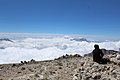 Sea of clouds
with caption centered {{ F | file name | G | caption }} {{F|Sommet Grande tête….jpg|G|Sea of clouds}}-
Sea of clouds
with caption left aligned
(like<gallery> file name | caption </gallery>)The minus sign can be used to display the name space "File:"
Syntax Code example Result Note {{ F | file name | - | G }} {{F|Birch in Kamikochi.jpg|-|G}}-
 File:Birch in Kamikochi.jpg
with caption of the full file name, centered {{ F | file name | G | - }} {{F|Birch in Kamikochi.jpg|G|-}}-
File:Birch in Kamikochi.jpg
with caption of the full file name, left aligned
(like<gallery> file name | File:file name </gallery>)Notes:
- The gallery style function of Template:F can be useful to display just only one file.
- Display of more files is possible, but it is easier to do with the gallery template:G, where the file names can be separated also with linefeeds, or/and with
|(pipes).
- Examples
with Template:{{F}} with Template:{{G}} {{F|Pink check.svg|
Purple check.svg
Yellow check.svg
Red check.svg
|G|44}}{{G|Pink check.svg
Purple check.svg
Yellow check.svg
Red check.svg|d=44}}another example with caption: {{F|
Pink check.svg|caption 1
Purple check.svg{{!}}capt 2
Yellow check.svg{{!}}capt 3
Red check.svg{{!}}capt 4
|G|32}}{{G|
Pink check.svg|capt 1
Purple check.svg|capt 2
Yellow check.svg|capt 3
Red check.svg|capt 4|w=32}}-
 capt 1
 -
 capt 2
 -
 capt 3
 -
 capt 4
-
capt 1
-
capt 2
-
capt 3
-
capt 4
Several templates (as {{Attribs}}, {{Derived from}}, {{Derivative versions}}, {{File}}, {{Filelist}}, {{Iterate}}, {{Own based}}, {{Other versions}}, ...)Iterated use of {{F}}
can use the template {{F}} with all its options iterative.
With: {{ Iterate
| p1 = 32 | p2 = Z
| Pink check.svg |
| Purple check.svg |
| Yellow check.svg |
| White check.svg | b
| Red check.svg }}
(default fort=Fandn=2)
these five files are shown:
With: {{ Filelist
| d = 32 | o = Z | c = n | q4 = b
| Pink check.svg
| Purple check.svg
| Yellow check.svg
| White check.svg
| Red check.svg }}
the same display is shown:
See also
- {{C}} → similar template for categories
- Category:Other versions templates


